Como criar o seu convite de casamento online
Escolha um modelo, preencha as suas informações, compartilhe com os convidados. Dez minutos são suficientes para ter um convite de casamento digital caprichado.
Como criar o seu convite de casamento
Apenas 7 passos simples. Nenhuma habilidade de design necessária.
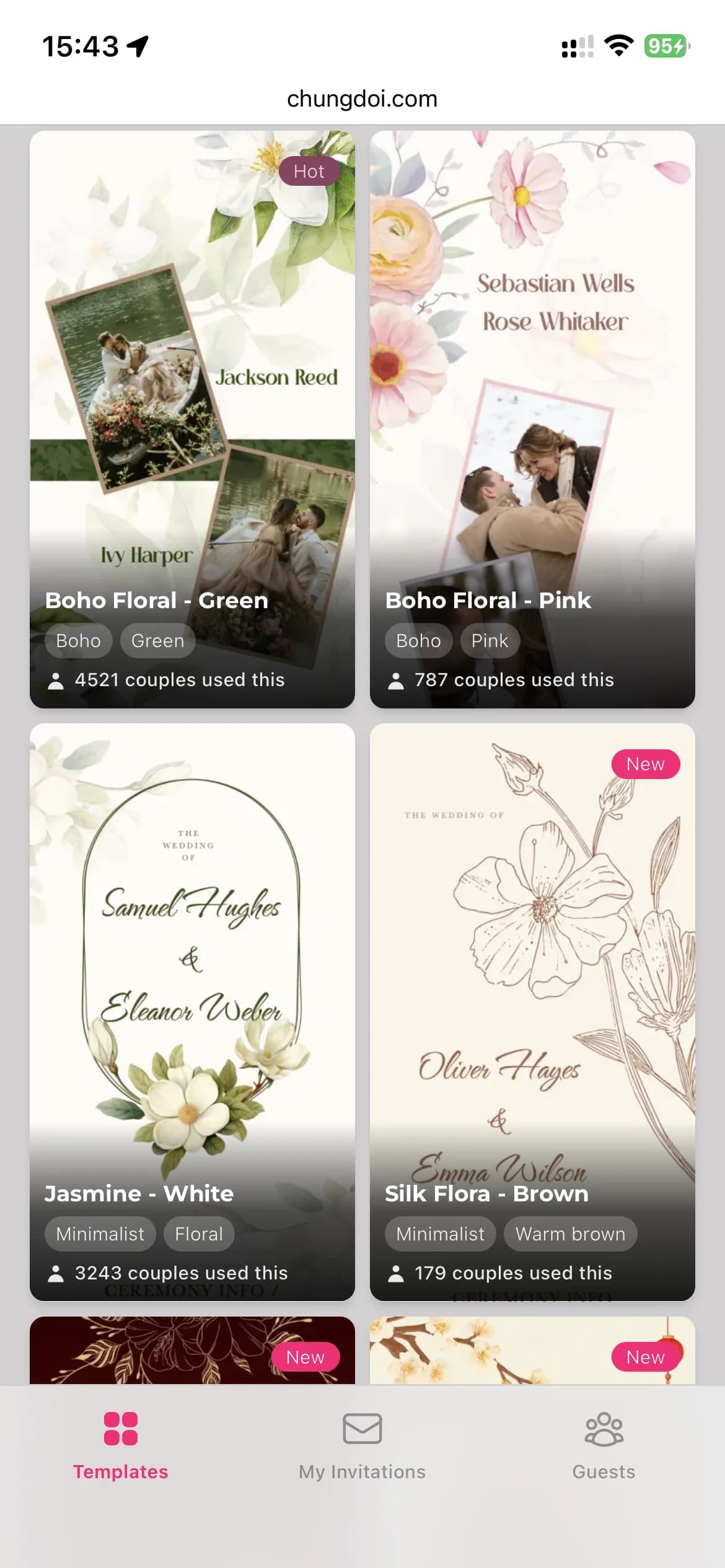
Escolha um modelo
Navegue por uma biblioteca cuidadosamente selecionada de modelos de convite de casamento criados por profissionais. Cada modelo tem a sua própria personalidade: tradicional, moderno, jardim, minimalista.
Preencha as suas informações
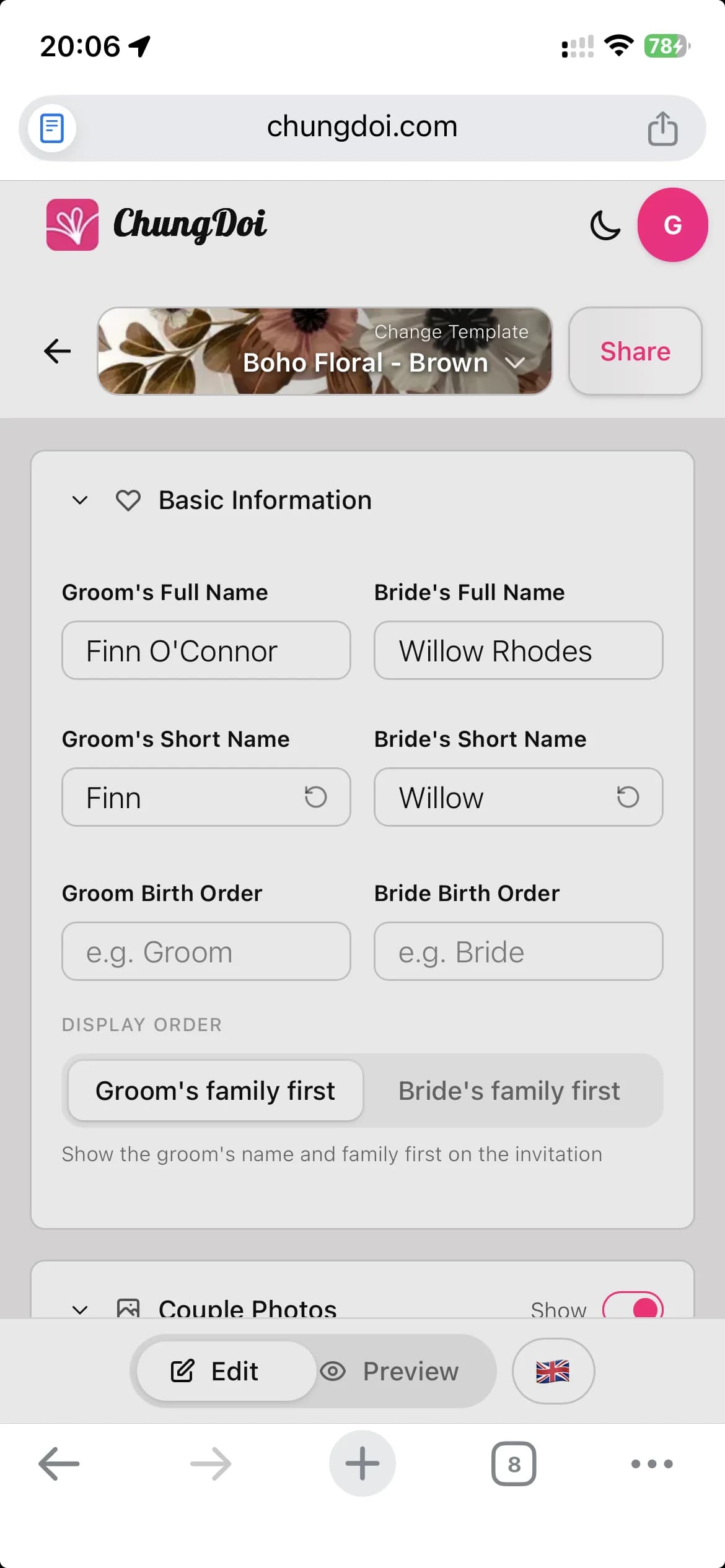
Adicione os nomes dos noivos, as informações da família, a data da cerimônia e o local da recepção. O editor funciona com um clique e tem visualização ao vivo, então você vê cada mudança enquanto digita.
Personalize o conteúdo
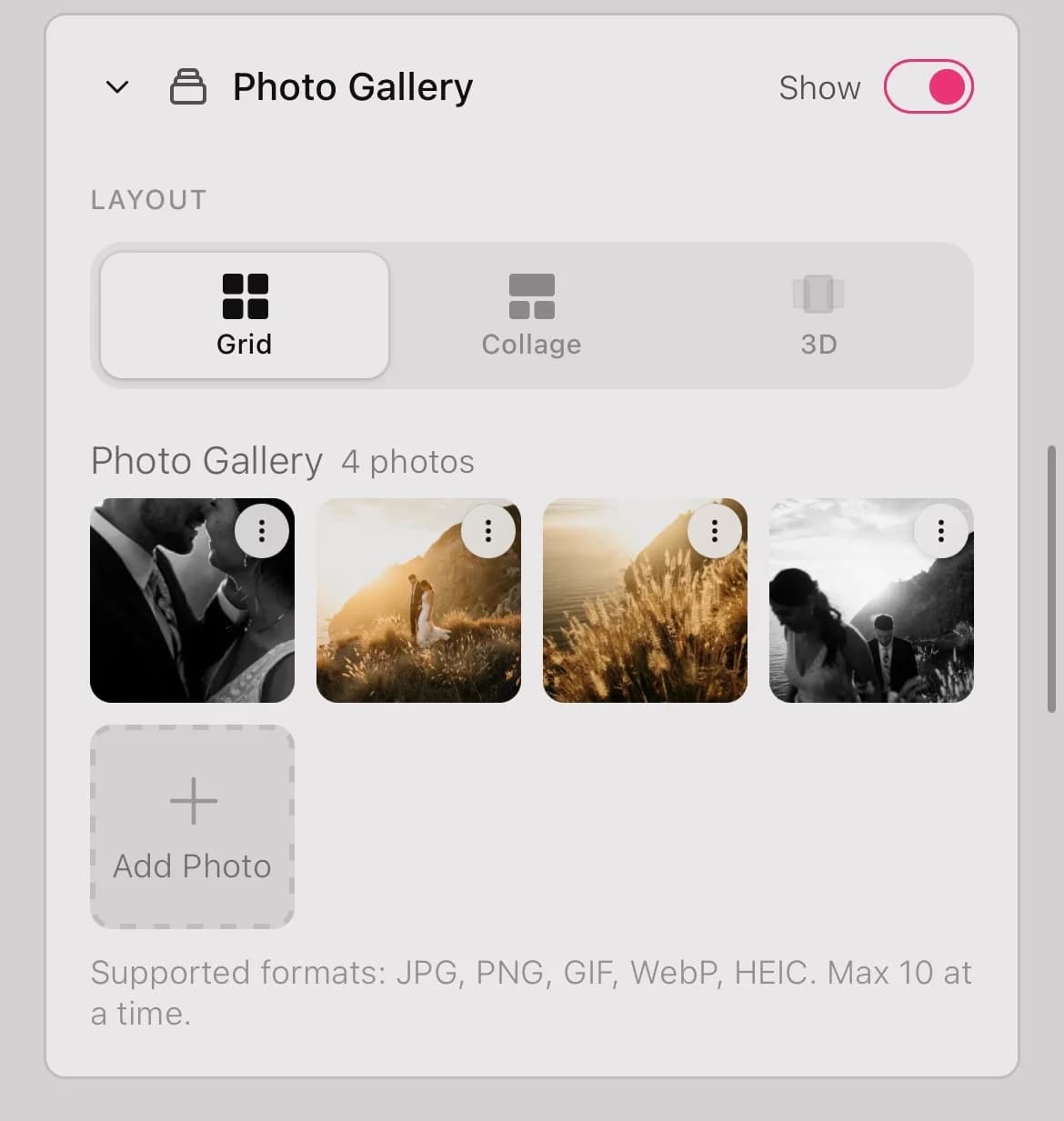
Insira as suas fotos de casamento, escolha uma música de fundo, incorpore um mapa do Google, adicione os dados bancários para presentes, escreva o seu recado de agradecimento. Tudo em um só convite.
Visualize antes de compartilhar
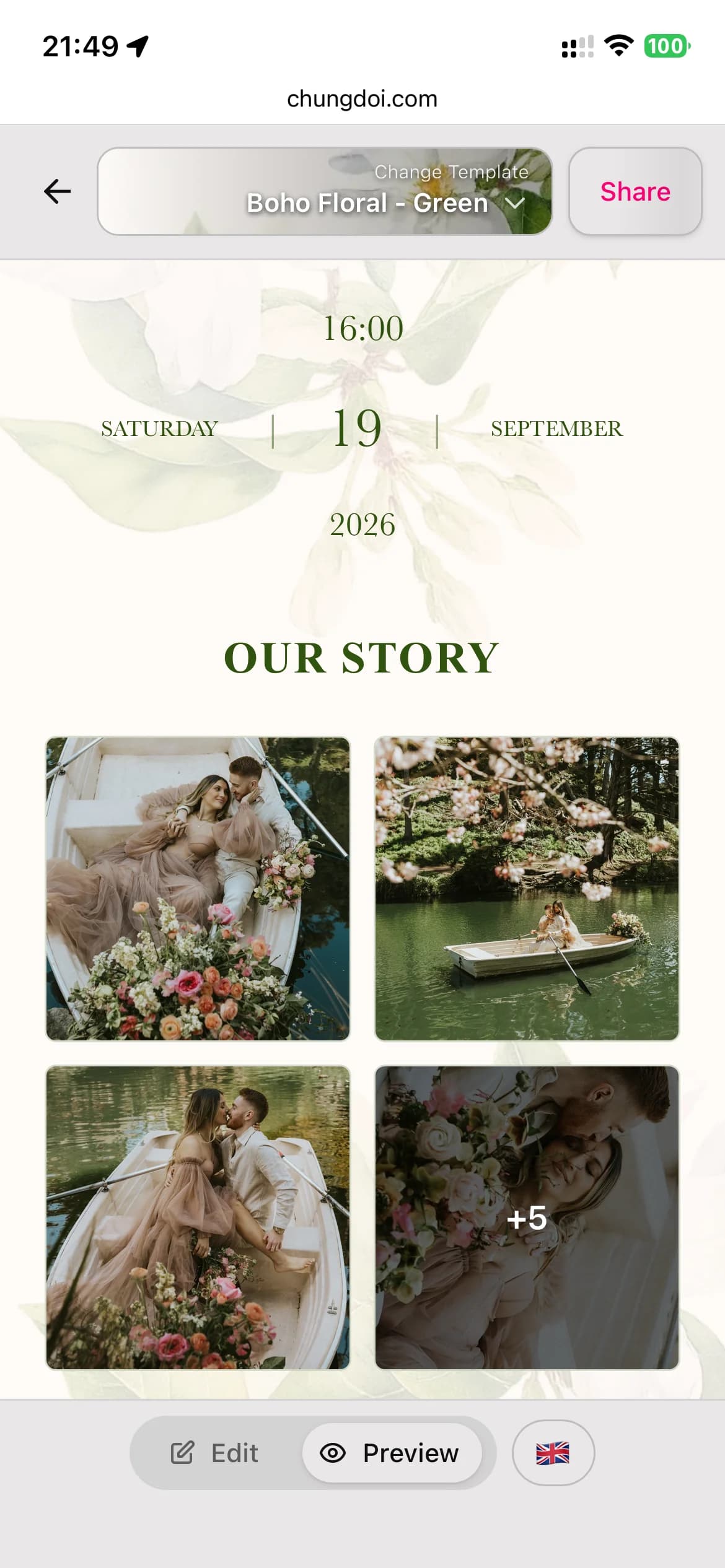
Alterne entre o modo de edição e o modo de visualização para ver como o convite fica para os seus convidados. Encontre erros de digitação e ajuste o layout antes de enviar.
Personalize para cada convidado
Envie um único link compartilhado para todos, ou gere um link exclusivo por convidado com o nome dele impresso no convite. Os convidados se sentem valorizados ao ver o próprio nome em um convite feito para eles.
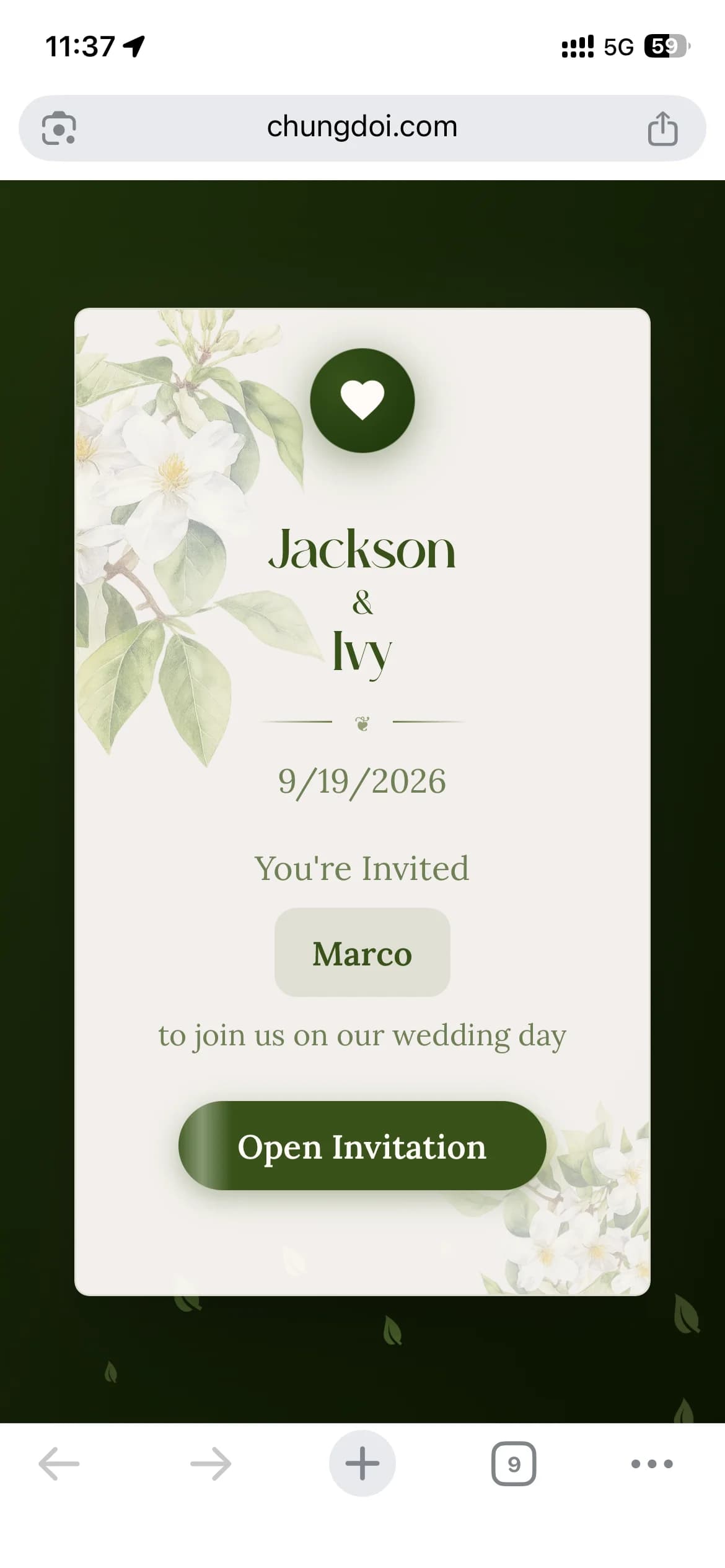
Acompanhe os RSVPs
Veja quem confirmou, quem ainda não confirmou e quantos convidados planejar. Adicione perguntas de RSVP personalizadas, como preferências alimentares ou pedidos de transporte, para se preparar com antecedência.
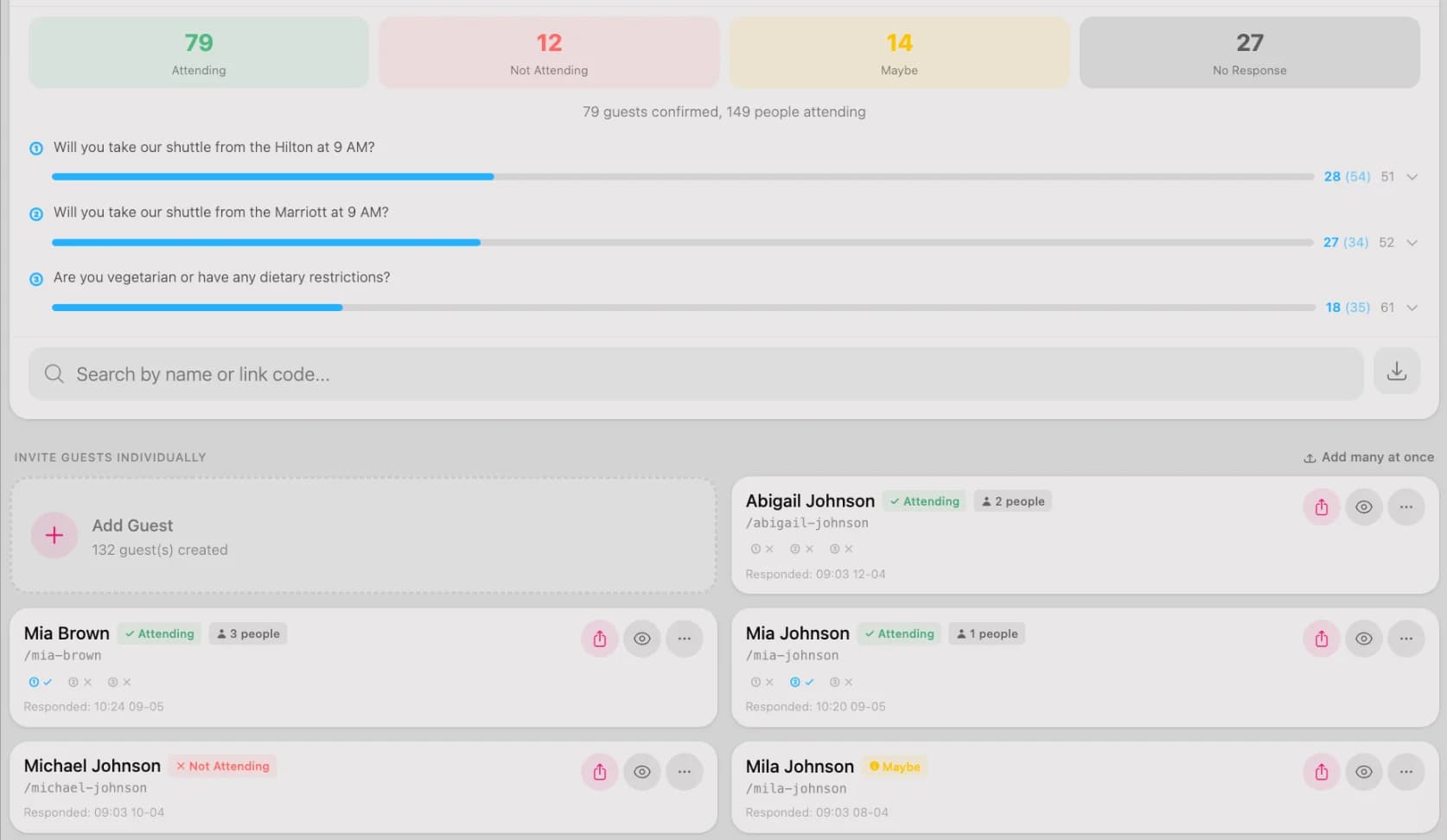
Pague só quando amar
Após o período de teste grátis de 3 dias, abra o painel e toque no botão de pagamento. Escaneie o QR code pelo aplicativo do seu banco ou faça a transferência manualmente. O convite é ativado automaticamente poucos segundos após o pagamento.
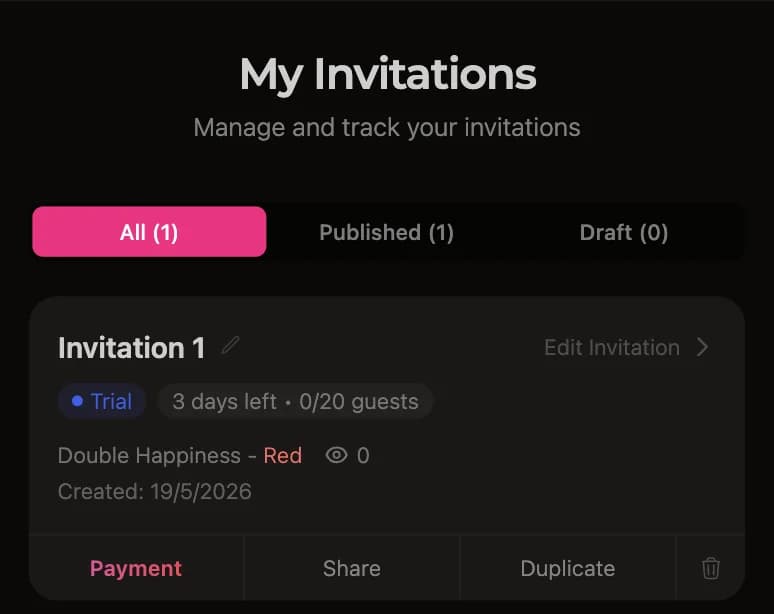
Modelos de convite de casamento em destaque
Muitos modelos criados por profissionais, cada um pensado para um estilo diferente de casamento.
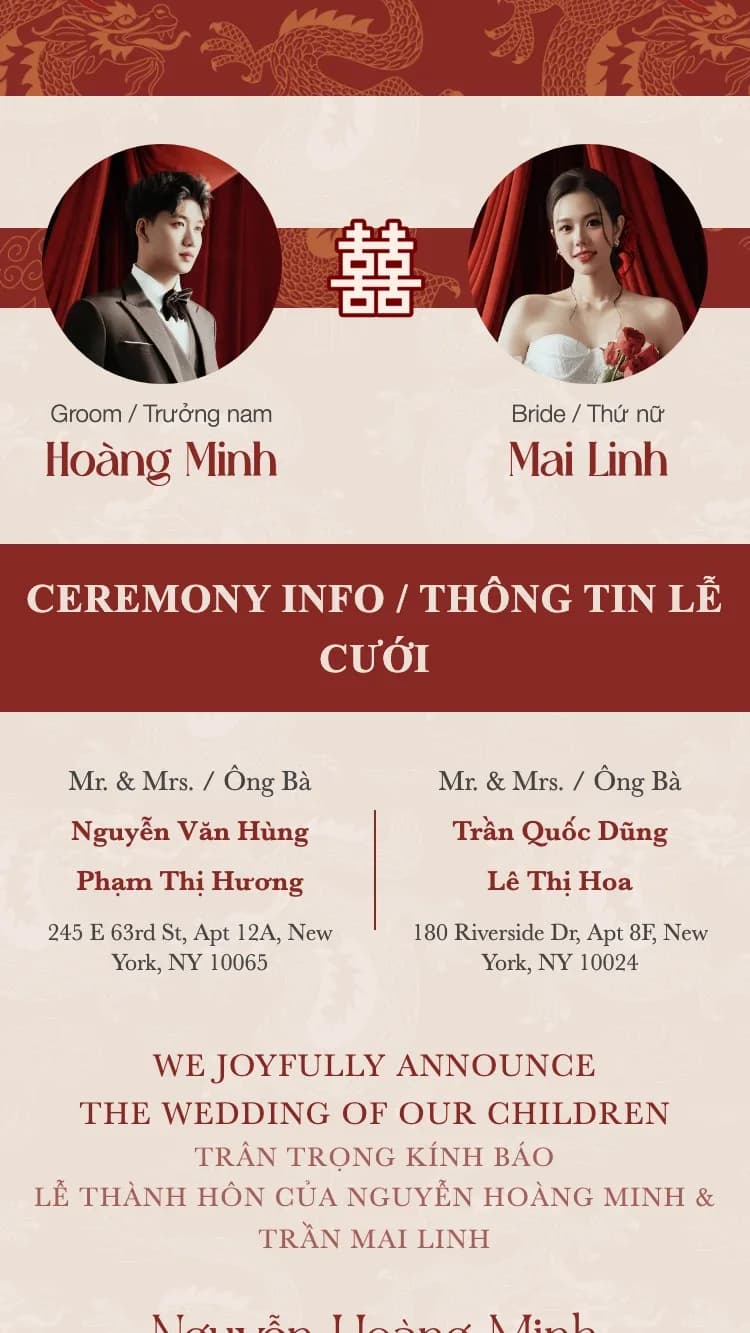



O que contém um convite de casamento online?
Um convite da ChungDoi cobre tudo o que você precisa, das informações sobre o casal a um cofrinho com QR code integrado.
Informações do casal
Digite os nomes completos da noiva e do noivo. Os nomes curtos são extraídos automaticamente dos nomes completos e usados no envelope e nos campos menores.
Informações da família
Os nomes dos pais dos dois lados, impressos no convite formal. Um clássico dos convites de casamento tradicionais da Ásia.
Cerimônia
Detalhes do noivado ou da cerimônia de casamento. Vários eventos em um mesmo convite são suportados, como um noivado e a cerimônia formal.
Recepção
Detalhes da recepção, incluindo o horário de recepção dos convidados, o horário do jantar, o endereço do restaurante e um mapa do Google para os convidados encontrarem o caminho com facilidade.
Programação do dia do casamento
Uma linha do tempo vertical dos eventos do dia (recepção, festa, brindes, despedida) para que os convidados saibam quando chegar, quando acontecem os momentos principais e quando a festa termina, sem precisar perguntar.
Contagem regressiva e adicionar ao calendário
Uma contagem regressiva ao vivo até o dia do casamento aumenta a expectativa, e um botão "Adicionar ao calendário" com um toque permite que os convidados salvem a data no Google Agenda ou no Apple Calendário.
Galeria de fotos
Envie as suas fotos preferidas de noivado e de casamento. A galeria aparece em grade com uma visualização em tela cheia quando os convidados tocam em uma foto.
RSVP
Os convidados confirmam presença diretamente no convite. Personalize as perguntas de RSVP e veja os convidados confirmados no seu painel.
Livro de recados
Os convidados deixam mensagens diretamente no convite. Todas as mensagens são públicas, e você pode moderar ou excluir as inadequadas.
Cofrinho de presentes
Mostre os dados bancários dos dois parceiros para que os convidados possam transferir os presentes de casamento. Os QR codes são gerados automaticamente a partir do número da conta.
Recado de agradecimento
Uma mensagem de agradecimento personalizada no final do convite, expressando a sua gratidão aos convidados por comparecerem.
Envelope
O envelope é a primeira tela que os convidados veem. Personalize a saudação e o nome do convidado no envelope para causar uma primeira impressão memorável.
Música de fundo
Escolha uma música de fundo em uma biblioteca selecionada. A faixa toca automaticamente quando o convidado abre o convite, criando um clima romântico.
Perguntas frequentes
Com certeza. Todos os modelos são criados por profissionais. Você só escolhe o que mais gostar e preenche suas informações. Sem ajustes de layout, escolha de fontes ou combinação de cores.
Cerca de dez minutos. Escolha um modelo, digite os nomes do casal e a data, adicione algumas fotos, e o convite fica pronto. Você pode montá-lo no celular em um momento livre, salvar um rascunho e voltar mais tarde para finalizar.
Sim. Criar, personalizar e visualizar o seu convite é gratuito e sem precisar de cadastro. Você ainda ganha um período de teste de 3 dias com todos os recursos após a publicação. Você só paga quando tiver certeza de que adorou e quer mantê-lo por muito tempo.
Para finalizar o seu convite o mais rápido possível, deixe estes itens à mão:
- Informações do casal: Nomes completos da noiva e do noivo
- Informações da família: Nomes dos pais dos dois lados
- Data e local: Detalhes da cerimônia e da recepção
- Fotos: 5 a 10 das suas fotos de casamento favoritas
- Dados bancários: Número da conta, caso queira receber presentes via QR Code
Você recebe um link exclusivo. Compartilhe um único link com todo mundo, ou gere um link personalizado para cada convidado com o nome dele no convite. Envie pelo WhatsApp, Messenger, SMS ou e-mail. Os convidados podem abrir em qualquer celular ou computador.
Sim. A confirmação de presença (RSVP) já vem integrada. Os convidados confirmam diretamente no convite, e você pode consultar a lista de presenças confirmadas no seu painel, o que facilita muito a organização das mesas.
Abra o seu painel e toque no botão de pagamento. O sistema gera um QR Code de transferência que você escaneia com o aplicativo do seu banco, ou você pode transferir manualmente. O convite é ativado automaticamente em poucos segundos. Todos os principais bancos são aceitos.
Sim. Você pode trocar de modelo, mudar as fotos, corrigir nomes, atualizar datas e adicionar música a qualquer momento. Trocar de modelo preserva o seu conteúdo. Cada alteração aparece na hora no link que você já compartilhou, então nunca precisa enviar de novo.
Guias e ferramentas úteis
Gerador de mensagem de casamento
A IA ajuda você a escrever a mensagem certa para o convite no seu tom.
Criador de foto Save the Date
Crie uma imagem "save the date" para anunciar a sua data com antecedência.
Convite de casamento bilíngue
Mostre o seu convite em dois idiomas para os convidados internacionais.
Pronto para criar o seu convite de casamento?
Escolha um modelo que você ama e comece a criar o seu convite hoje mesmo.

