Comment créer votre faire-part de mariage en ligne
Choisissez un modèle, renseignez vos informations, partagez avec vos invités. Dix minutes suffisent pour obtenir un faire-part de mariage numérique soigné.
Comment créer votre faire-part de mariage
Seulement 7 étapes simples. Aucune compétence en design requise.
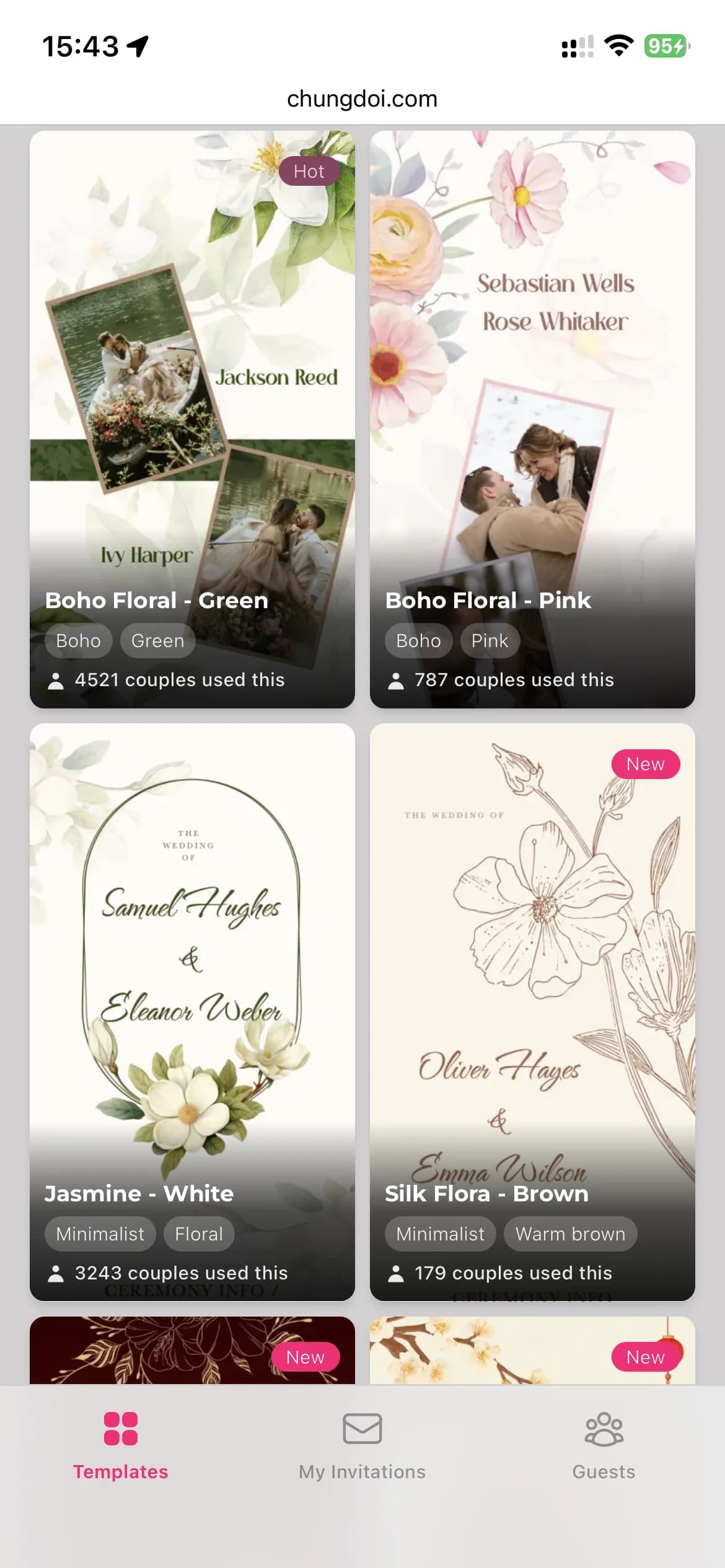
Choisissez un modèle
Parcourez une bibliothèque soigneusement sélectionnée de modèles de faire-part de mariage conçus par des professionnels. Chaque modèle a sa propre personnalité : traditionnel, moderne, jardin, minimaliste.
Renseignez vos informations
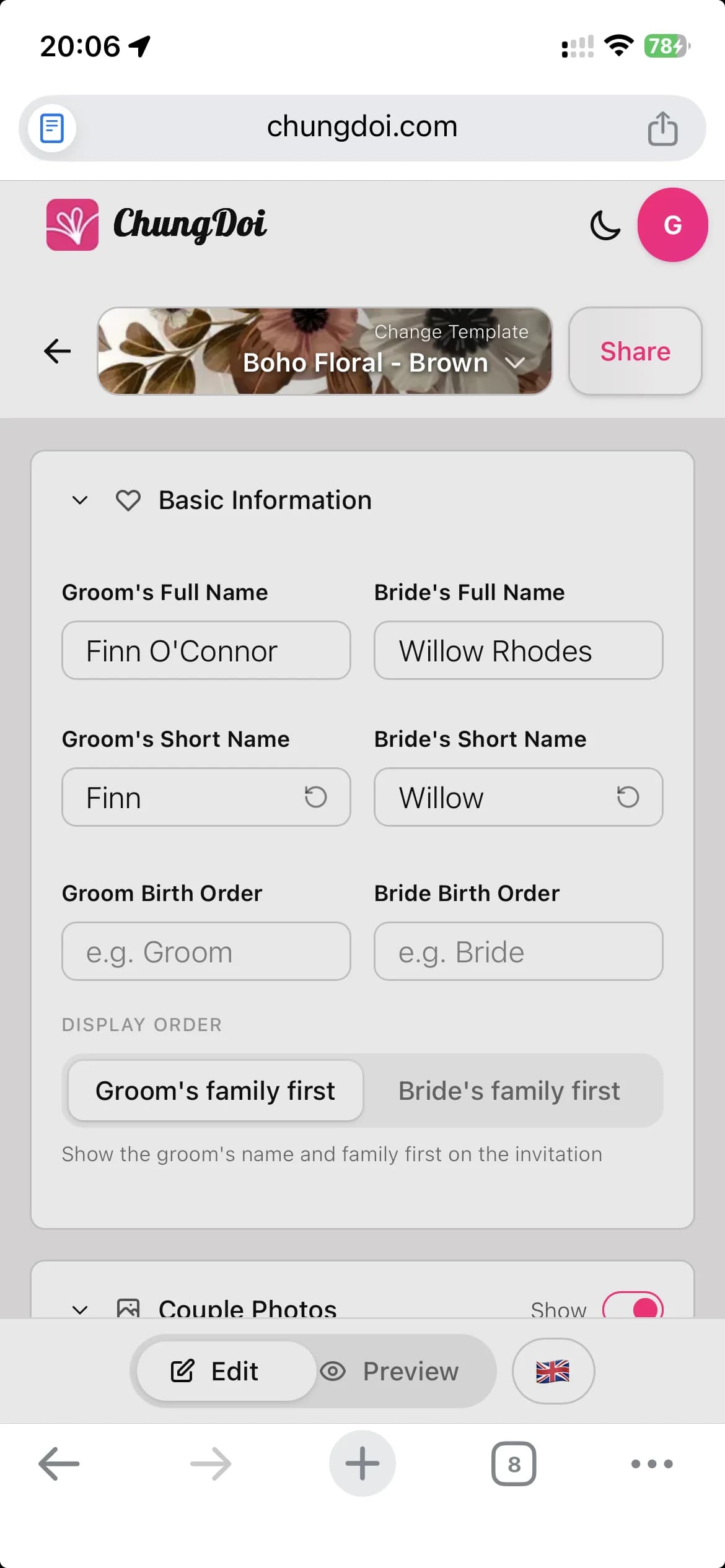
Ajoutez les noms des mariés, les informations sur la famille, la date de la cérémonie et le lieu de la réception. L’éditeur fonctionne d’un simple clic avec un aperçu en direct : vous voyez chaque modification au fil de la saisie.
Personnalisez le contenu
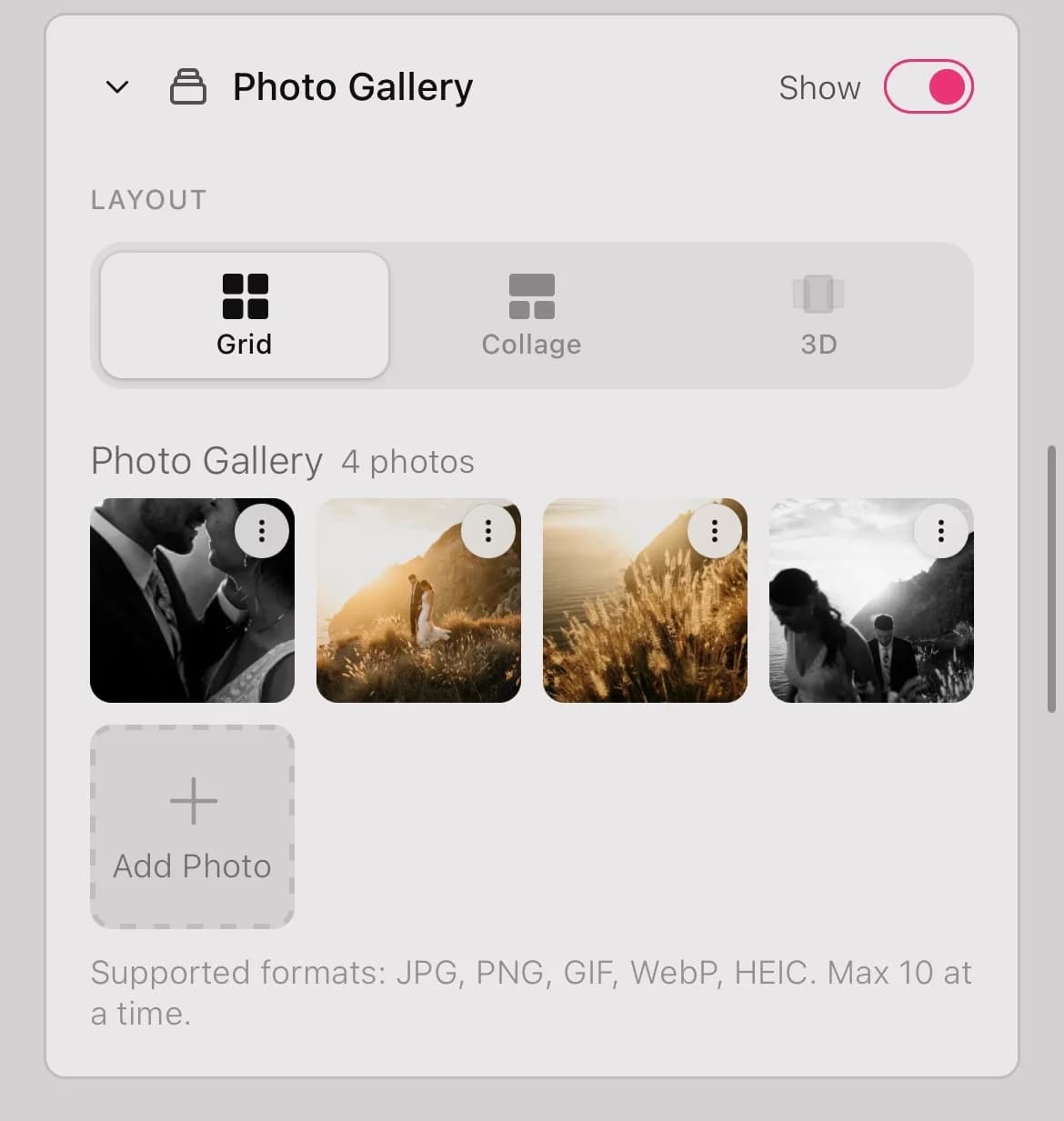
Ajoutez vos photos de mariage, choisissez une musique de fond, intégrez une carte Google, indiquez vos coordonnées bancaires pour les cadeaux, rédigez votre mot de remerciement. Tout dans un seul faire-part.
Prévisualisez avant de partager
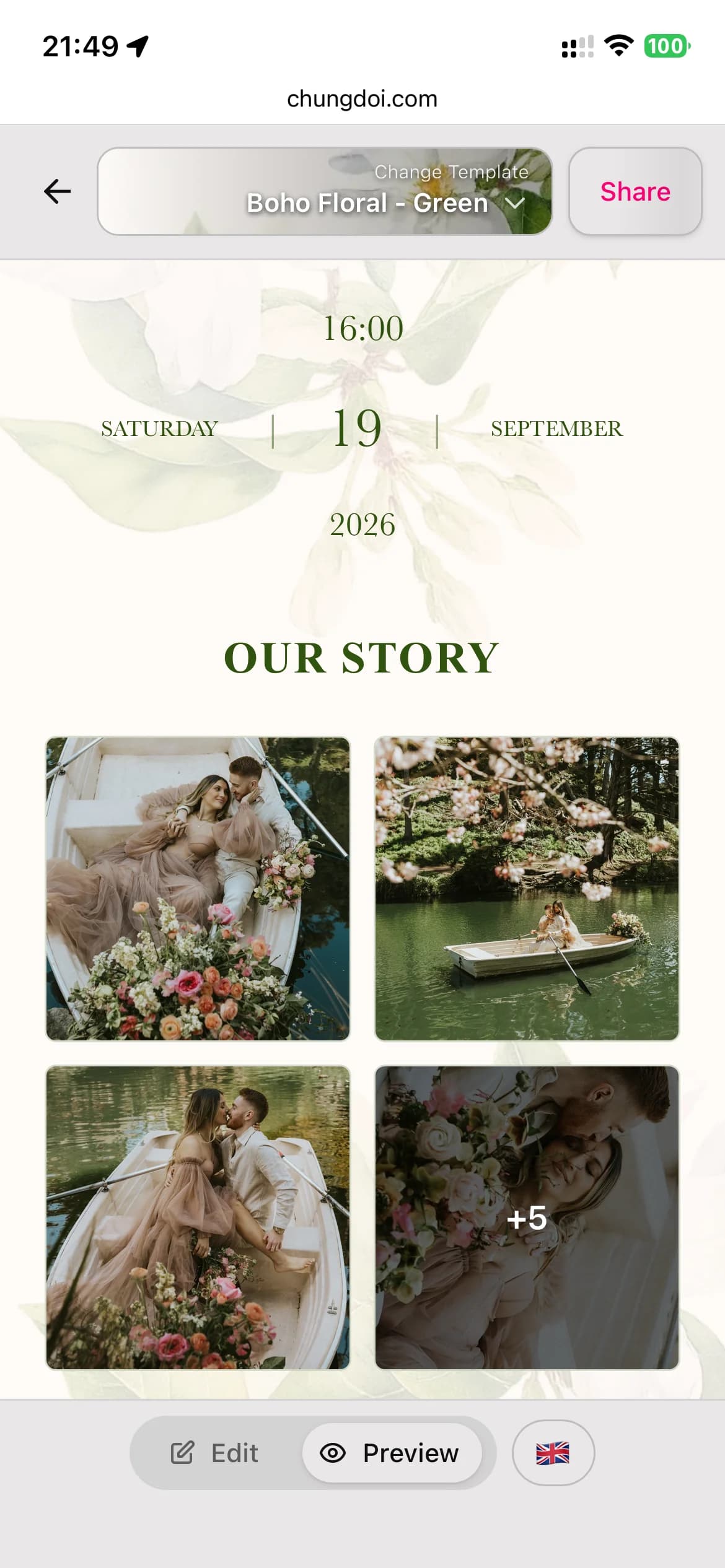
Basculez entre le mode édition et le mode aperçu pour découvrir le faire-part tel que vos invités le verront. Repérez les fautes de frappe et ajustez la mise en page avant l’envoi.
Personnalisez pour chaque invité
Envoyez un lien commun à tout le monde, ou générez un lien unique par invité avec son nom imprimé sur le faire-part. Les invités se sentent valorisés en voyant leur propre nom sur une carte faite pour eux.
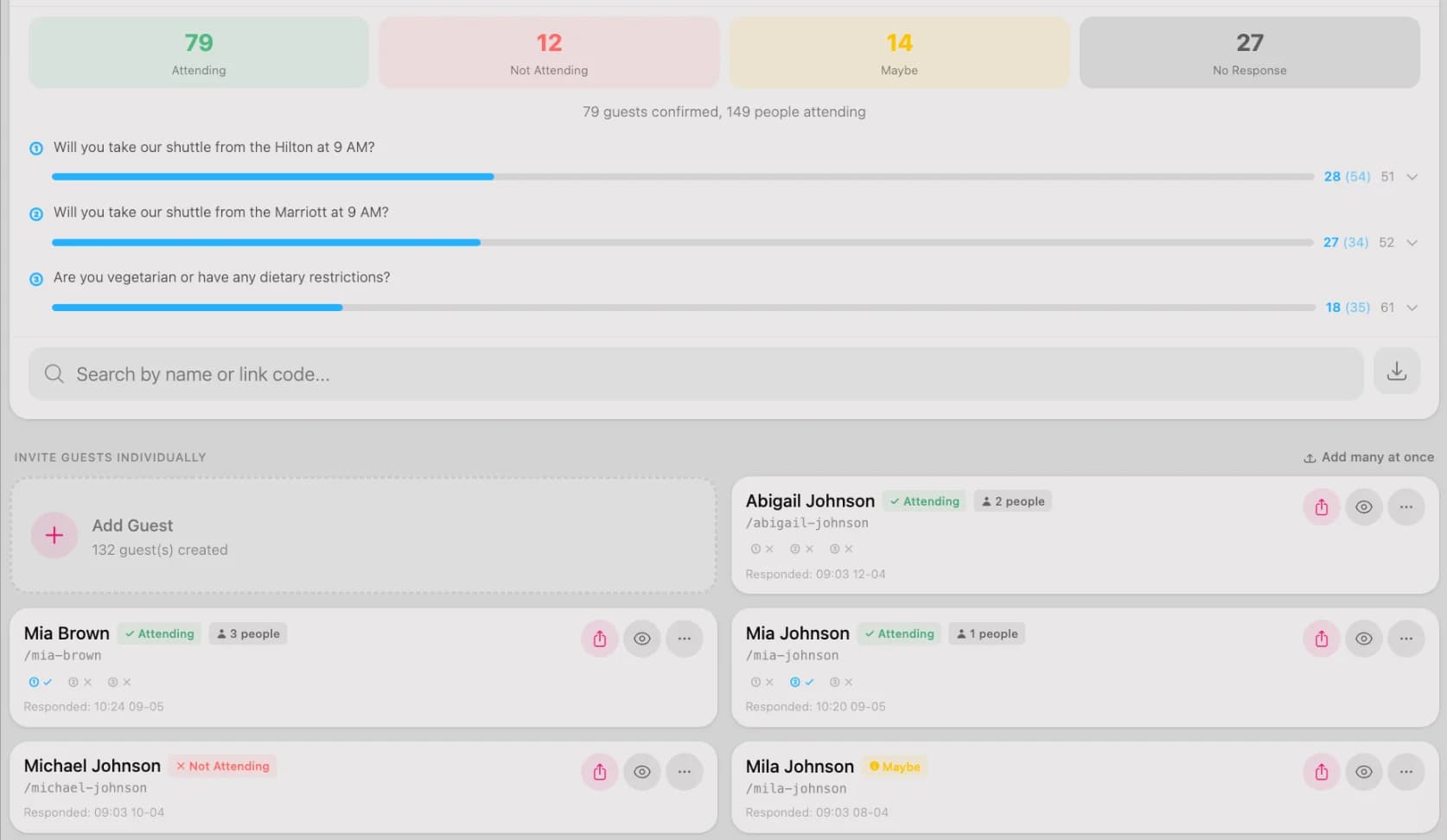
Suivez les réponses (RSVP)
Voyez qui a confirmé, qui ne l’a pas encore fait et combien d’invités prévoir. Ajoutez des questions RSVP personnalisées, comme les préférences alimentaires ou les demandes de navette, pour tout préparer à l’avance.
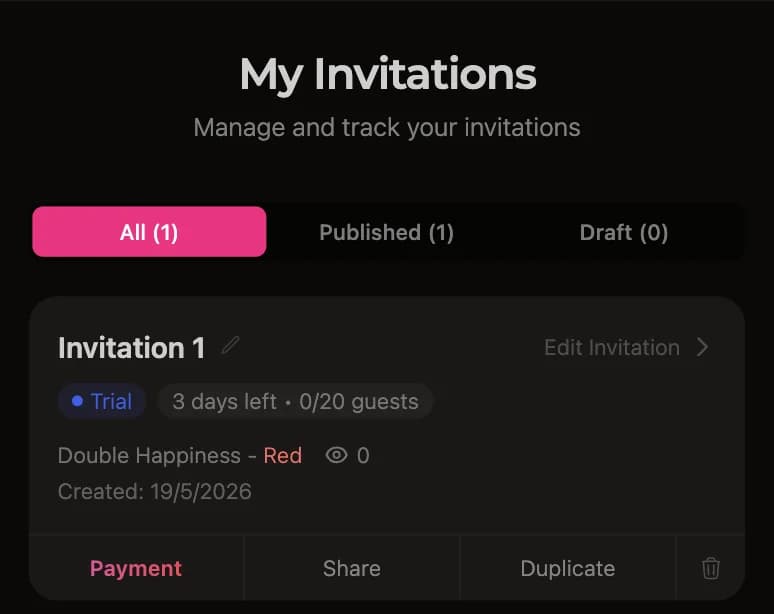
Ne payez que si vous adorez
Après les 3 jours d’essai gratuit, ouvrez le tableau de bord et appuyez sur le bouton de paiement. Scannez le QR code depuis votre application bancaire ou effectuez un virement manuel. Le faire-part s’active automatiquement quelques secondes après le paiement.
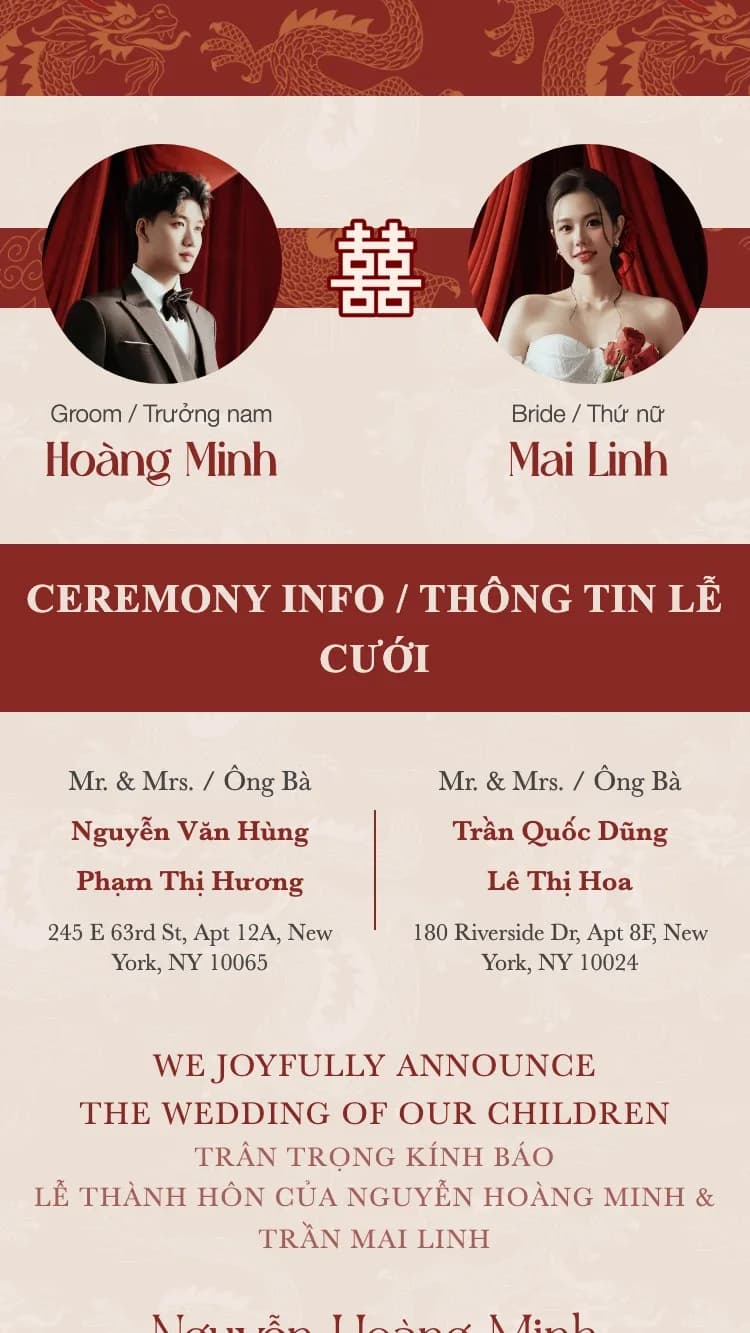
Modèles de faire-part de mariage à la une
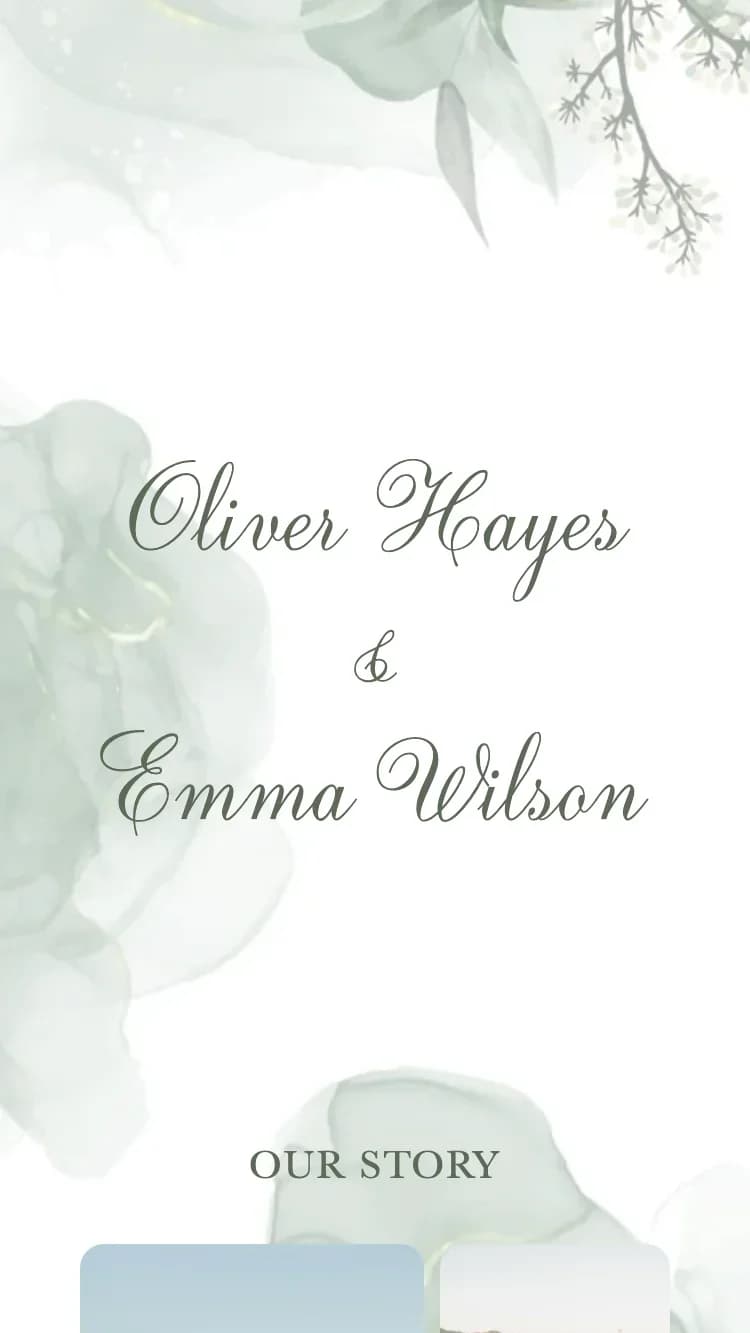
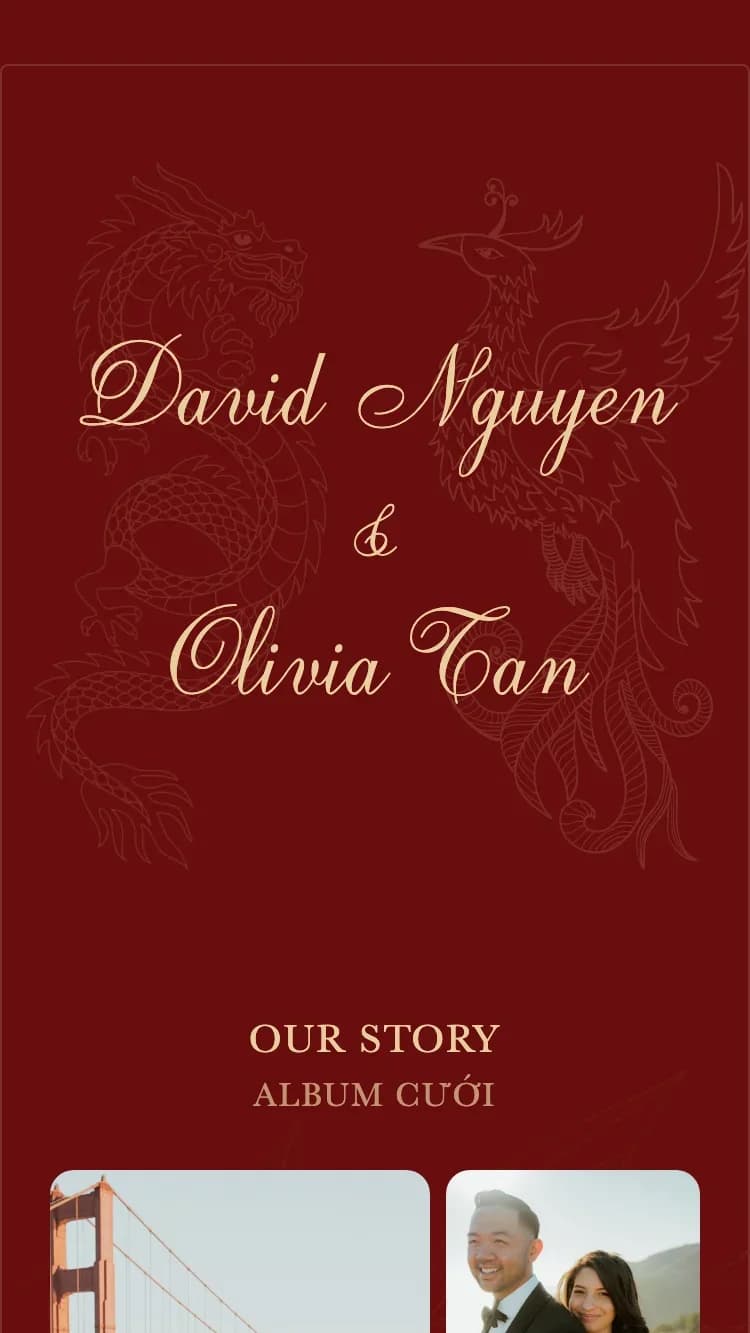
De nombreux modèles conçus par des professionnels, chacun pensé pour un style de mariage différent.

Que contient un faire-part de mariage en ligne ?
Un faire-part ChungDoi couvre tout ce dont vous avez besoin, des informations sur le couple à une cagnotte QR intégrée.
Informations sur le couple
Saisissez les noms complets de la mariée et du marié. Les prénoms courts sont extraits automatiquement des noms complets et utilisés sur l’enveloppe et les champs plus petits.
Informations sur la famille
Les noms des parents des deux côtés, imprimés sur le faire-part officiel. Un incontournable des faire-part de mariage traditionnels d’Asie.
Cérémonie
Détails des fiançailles ou de la cérémonie de mariage. Plusieurs événements sur un même faire-part sont pris en charge, comme des fiançailles et la cérémonie officielle.
Réception
Détails de la réception, notamment l’heure d’accueil, l’heure du dîner, l’adresse du restaurant et une carte Google pour que les invités trouvent facilement leur chemin.
Programme du jour du mariage
Une frise verticale des événements de la journée (accueil, réception, toasts, au revoir) pour que les invités sachent quand arriver, quand ont lieu les moments clés et quand la fête se termine, sans avoir à demander.
Compte à rebours et ajout au calendrier
Un compte à rebours en direct jusqu’au jour du mariage fait monter l’impatience, et un bouton « Ajouter au calendrier » en un clic permet aux invités d’enregistrer la date dans Google Agenda ou Apple Calendrier.
Galerie photo
Téléversez vos photos préférées de fiançailles et de mariage. La galerie s’affiche sous forme de grille avec une visionneuse plein écran lorsque les invités touchent une photo.
RSVP
Les invités confirment leur présence directement sur le faire-part. Personnalisez les questions RSVP et consultez les invités confirmés dans votre tableau de bord.
Livre d’or
Les invités laissent leurs vœux directement sur le faire-part. Tous les vœux sont publics, et vous pouvez modérer ou supprimer ceux qui sont inappropriés.
Cagnotte
Affichez les coordonnées bancaires des deux partenaires pour que les invités puissent envoyer leurs cadeaux de mariage. Les QR codes sont générés automatiquement à partir du numéro de compte.
Mot de remerciement
Un message de remerciement personnalisé à la fin du faire-part, pour exprimer votre gratitude envers vos invités d’être présents.
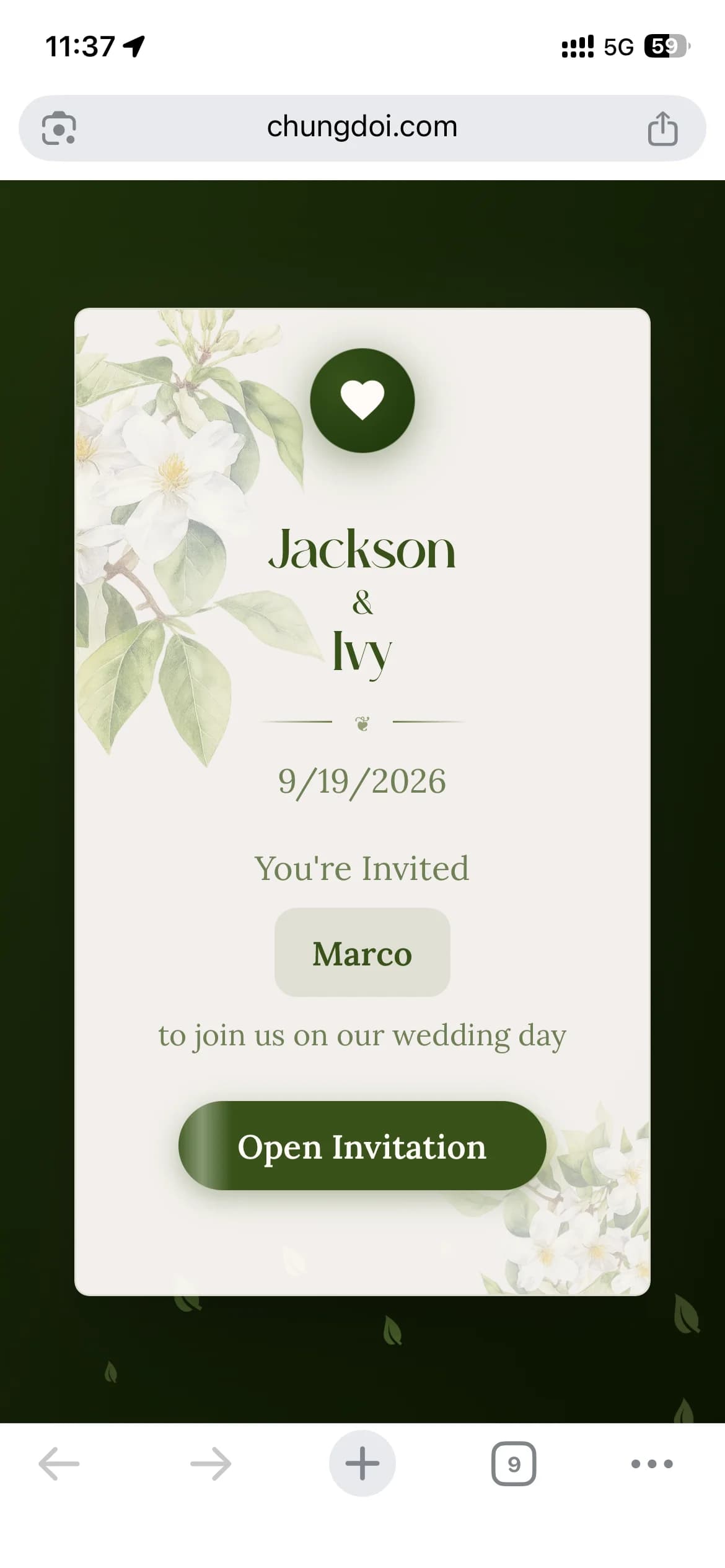
Enveloppe
L’enveloppe est le tout premier écran que voient les invités. Personnalisez le message d’accueil et le nom de l’invité sur l’enveloppe pour une première impression mémorable.
Musique de fond
Choisissez une musique de fond dans une bibliothèque sélectionnée. Le morceau se lance automatiquement à l’ouverture du faire-part, créant une ambiance romantique.
Questions fréquentes
Absolument. Chaque modèle est conçu par des professionnels. Vous choisissez simplement celui qui vous plaît et renseignez vos informations. Aucun réglage de mise en page, choix de police ni accord de couleurs.
Environ dix minutes. Choisissez un modèle, saisissez vos prénoms et la date, ajoutez quelques photos, et le faire-part est prêt. Vous pouvez le créer sur votre téléphone à un moment libre, enregistrer un brouillon et revenir plus tard pour le terminer.
Oui. Créer, personnaliser et prévisualiser votre faire-part est gratuit, sans inscription. Vous bénéficiez aussi d'un essai de 3 jours avec toutes les fonctionnalités après publication. Vous ne payez que lorsque vous êtes sûr de l'aimer et de vouloir le conserver sur le long terme.
Pour terminer votre faire-part le plus vite possible, préparez ces éléments :
- Informations sur les mariés : Noms complets de la mariée et du marié
- Informations sur la famille : Noms des parents des deux côtés
- Date et lieu : Détails de la cérémonie et de la réception
- Photos : 5 à 10 de vos plus belles photos de mariage
- Coordonnées bancaires : Numéro de compte si vous souhaitez recevoir des cadeaux via QR code
Vous obtenez un lien unique. Partagez un seul lien avec tout le monde, ou générez un lien personnalisé par invité avec son nom sur le faire-part. Envoyez-le via WhatsApp, Messenger, SMS ou e-mail. Les invités peuvent l'ouvrir sur n'importe quel téléphone ou ordinateur.
Oui. La confirmation de présence (RSVP) est intégrée. Les invités confirment directement sur le faire-part, et vous pouvez consulter la liste des présences confirmées dans votre tableau de bord, ce qui facilite grandement le plan de table.
Ouvrez votre tableau de bord et appuyez sur le bouton de paiement. Le système génère un QR code de virement que vous scannez avec votre application bancaire, ou vous pouvez virer manuellement. Le faire-part s'active automatiquement en quelques secondes. Toutes les grandes banques sont prises en charge.
Oui. Vous pouvez changer de modèle, modifier les photos, corriger les noms, mettre à jour les dates et ajouter de la musique à tout moment. Changer de modèle conserve votre contenu. Chaque modification est répercutée immédiatement sur le lien déjà partagé, vous n'avez donc jamais besoin de le renvoyer.
Guides et outils utiles
Prêt à créer votre faire-part de mariage ?
Choisissez un modèle que vous aimez et commencez à créer votre faire-part dès aujourd’hui.

